Importing the CA response
If you have applied for a public key certificate, the certificate authority (CA) will send you a response. You can import the CA response to PingOne from the Certificates and Key Pairs page. The public key in the response must match the public key of this certificate.
Steps
-
In the PingOne admin console, go to Settings > Certificates and Key Pairs.
-
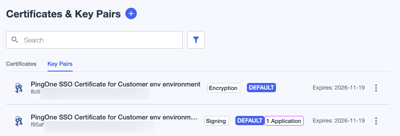
On the Key Pairs tab, browse or search for the key pair for which you want to import the response.
-
Click the key pair to open the details panel.
-
On the CSR tab, in the Import CA response section, click Select a file.
-
On the local file system, locate the CA response file and click Open.
Result
The file is imported to PingOne, and the key pair entry is updated to reflect the new issuer values in the CA response.