PingOne Verify and identity assurance
What is identity assurance?
OpenID Connect for Identity Assurance (OIDC4IDA or IDA) is an extension built on OpenID Connect (OIDC) that allows identity providers to share verified identity claims, such as name, date of birth, and address about users, including how and when those claims were verified.
IDA works in the following ways:
-
Acts like a receipt for identity proofing and records identity claims and details about how those claims were verified.
-
Standardizes identity verification data and delivers identity claims and their verification metadata together in a standardized format.
-
Enables quick trust assessment and shows what information was verified, when, and by what method. This allows relying parties, such as government services, banking, and healthcare to assess the trustworthiness of identity data without redoing the identity proofing process.
|
IDA was developed and is maintained by the Electronic Know Your Customer (eKYC) and IDA Working Group at the OpenID Foundation. It was finalized in 2024, alongside schema and claims definition documents to ensure different security products from separate companies can easily work with each other. Learn more in OpenID Connect for Identity Assurance 1.0. |
Why it matters
IDA provides verification evidence to support claims. Organizations need more than just authentication. Signing on proves that a person controls an account, but it doesn’t prove that their claims are true. IDA solves this gap by providing verification evidence for claims. This gives relying parties the confidence they need for high-risk scenarios, which is crucial in industries where trust is regulated, such as banking, healthcare, or government services.
IDA also incorporates verification into the authentication process. Instead of treating identity proofing and sign on as separate steps, IDA allows both to move together in a single flow. The same transaction that confirms a user’s identity can also deliver evidence of how their attributes were verified. This provides users with a seamless verification experience and ensures that authentication is always backed by a trustworthy level of assurance.
How it works
Enabling IDA in your verify policy
Enabling Store Verified Claims when creating a verify policy in PingOne turns on auto-storage of IDA in the PingOne Directory. Even when disabled, the verified data response returns an IDA object, allowing you to use storage options other than PingOne Directory. Learn more in Creating a verify policy.
Viewing IDA in PingOne Directory
To view IDA:
-
In the PingOne admin console, go to Directory > Users and click the appropriate user.
-
On the Services tab, click ID Verification and then click Show. Learn more in Viewing user details.
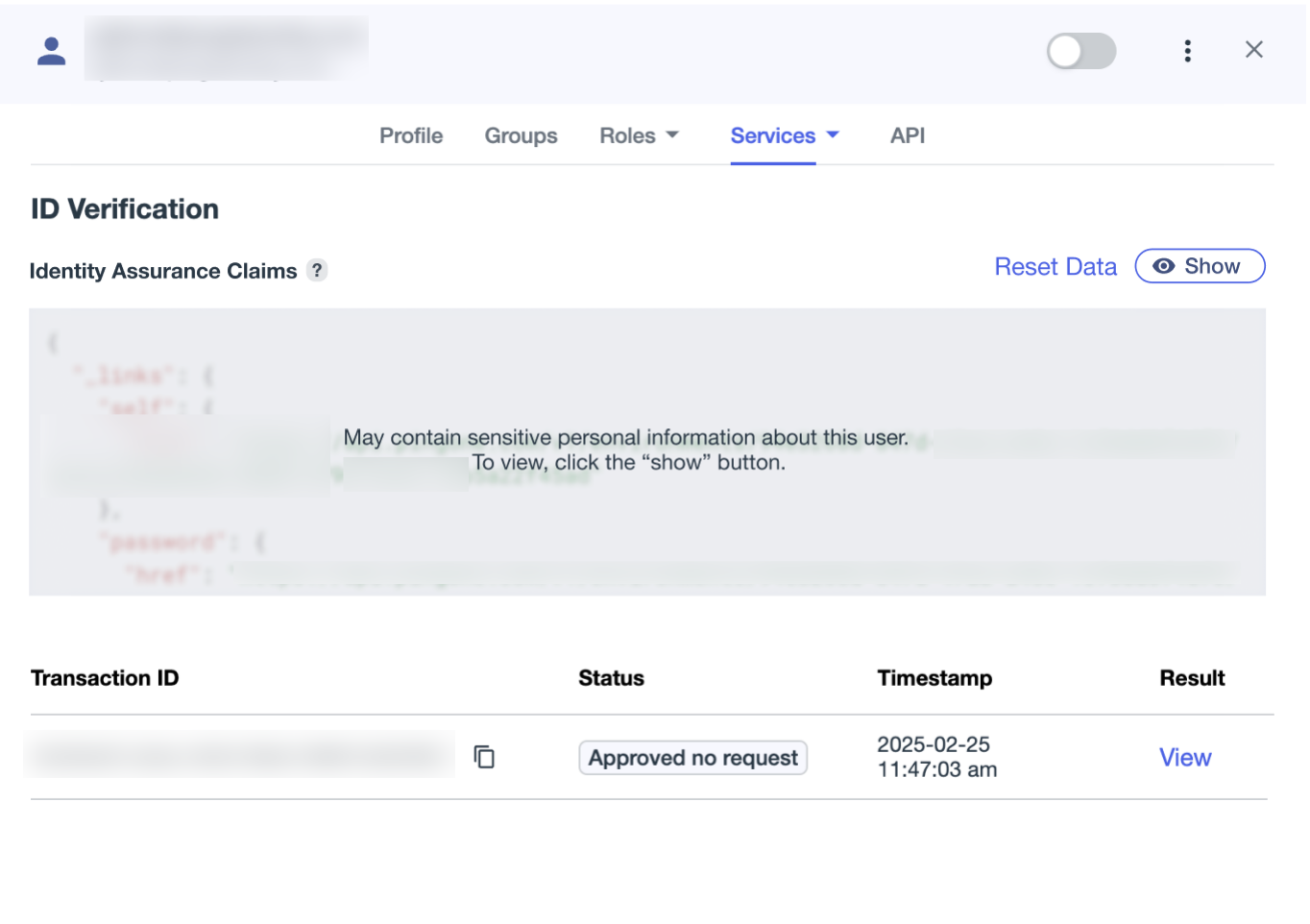
You can also obtain the IDA object from the API response and store it in your own directory or a verifiable credential.
Using IDA in authorization-based flows
Using IDA in an existing OIDC authorization flow makes it easier to approve high-value transactions and reduce fraud without requiring additional steps for the user.
|
Out-of-the-box inclusion of IDA in OIDC exchanges isn’t available. Currently, you can obtain verified claims in PingOne from API responses and integrate them into your own flows or store them in verifiable credentials. |