Downloading a certificate
Use the Certificates and Key Pairs page to export a certificate with a public key from a key pair to your local file system.
Steps
-
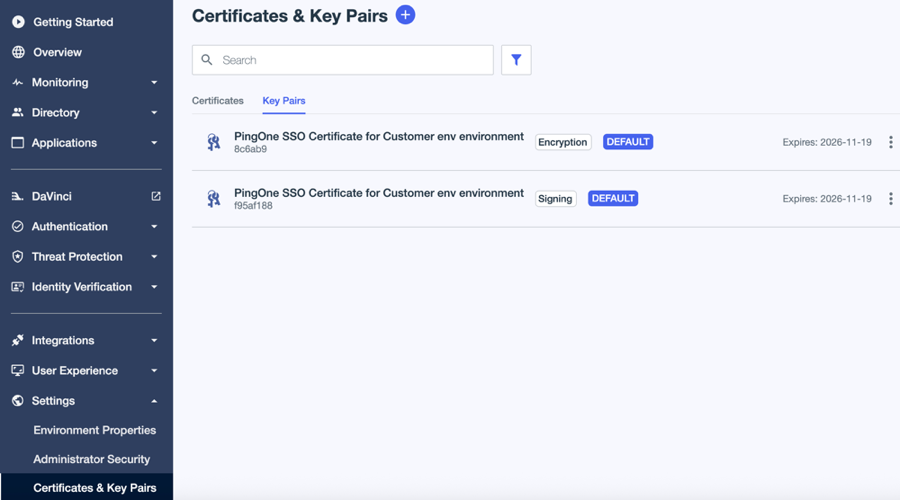
In the PingOne admin console, go to Settings > Certificates and Key Pairs.
-
On the Key Pairs tab, browse or search for the key pair you want to download.
-
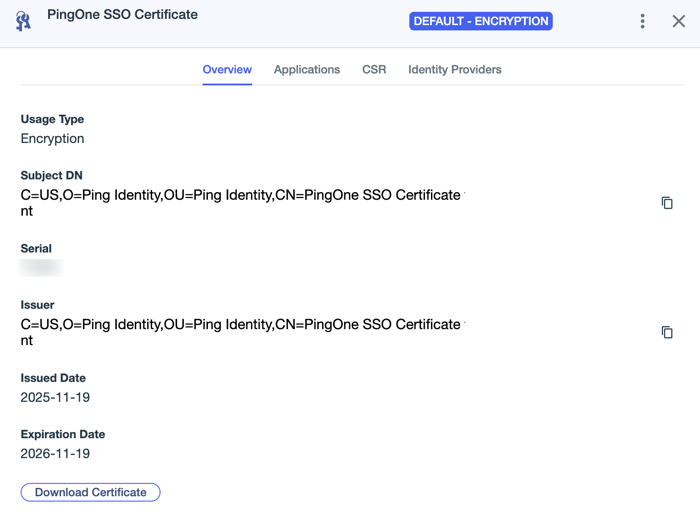
Click the key pair to open the details panel.
-
Click Download Certificate.
-
Select the format you want to use:
-
X509 PEM (.crt)
-
Certificates PKCS7 DER (.p7b).
-
Result
The file is saved to your local file system.