Generating a CSR
On the Certificates and Key Pairs page, you can generate a certificate signing request (CSR) and download it to your local file system.
A CSR is an encoded file you can send to the certificate authority to apply for a public key certificate. If granted, the certificate authority will send you a response. The public key in the response must match the public key of this certificate.
Steps
-
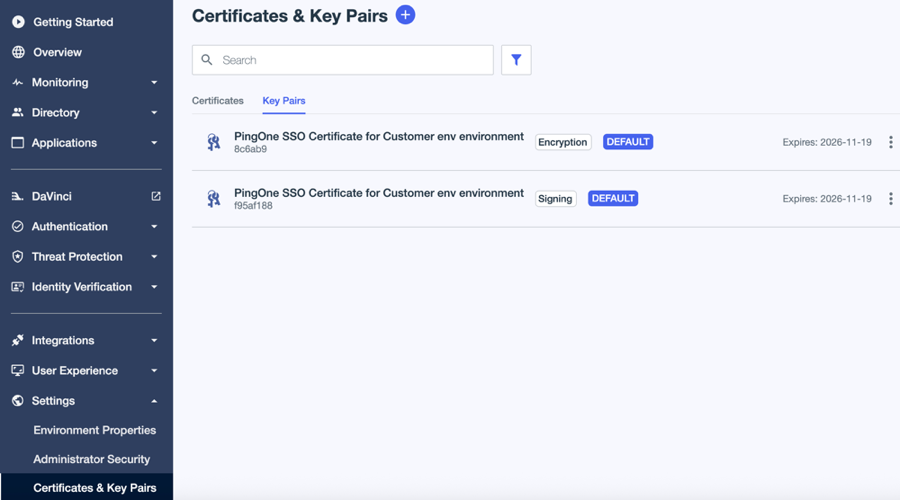
In the PingOne admin console, go to Settings > Certificates and Key Pairs.
-
On the Key Pairs tab, browse or search for the key pair you want to use to generate a CSR.
-
Click the key pair to open the details panel.
-
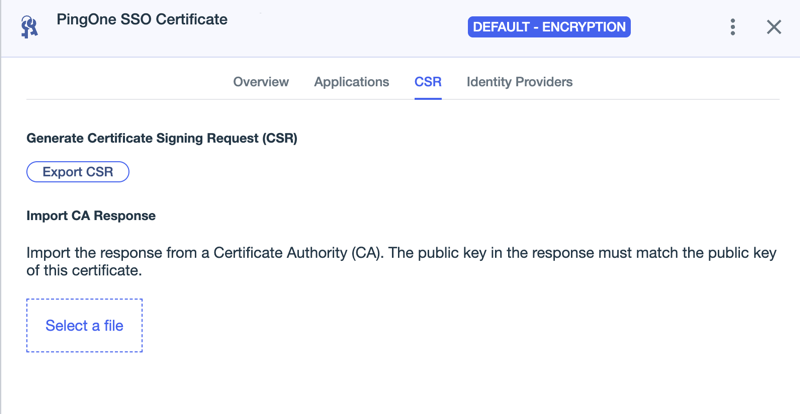
On the CSR tab, click Export CSR.
-
Select the format you want to use:
-
X509 PEM (.csr)
-
PKCS10 DER (.p10)
-
Result
The file is saved to your local file system.