Inbound traffic policies
Use the Inbound Traffic Policies page to configure policies that determine whether incoming traffic to your custom domain is verified, based on the source and content of the request.
Inbound traffic policies are applicable only to custom domains that are routing to Cloudflare. All custom domains created after March 17, 2025 are routing to Cloudflare. If you have custom domains that were created before March 17, 2025, you’re encouraged to migrate them to Cloudflare as soon as possible to take advantage of inbound traffic policies and future enhancements. Learn more in Migrating a custom domain to Cloudflare.
|
To determine if your custom domain is routing to Cloudflare, in the PingOne admin console, go to Settings > Domains and check for the Cloudflare Active label. |
Incoming requests can be verified using any combination of the following criteria in the policy:
-
A signed request header
-
A shared secret header
-
The mTLS client certificate for the connection
-
The socket IP address for the connection
Processing rules include controls for:
-
Determining a client’s logical IP address when the request is made through an intermediate connection.
-
Passing or rejecting custom request headers to services like PingOne DaVinci.
-
Allowing or blocking requests from unrecognized sources.
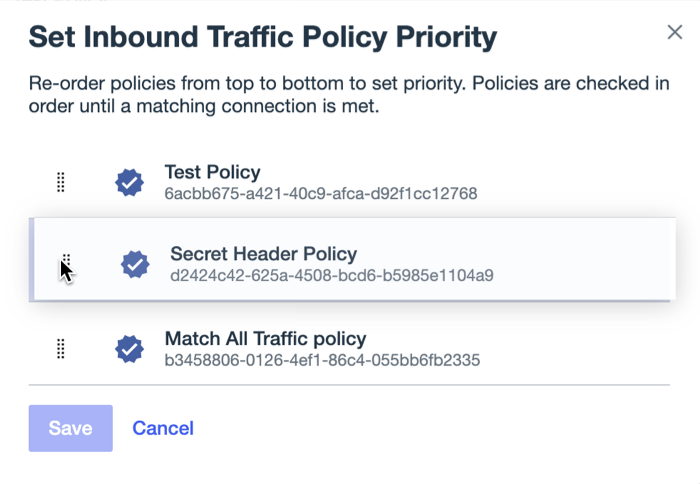
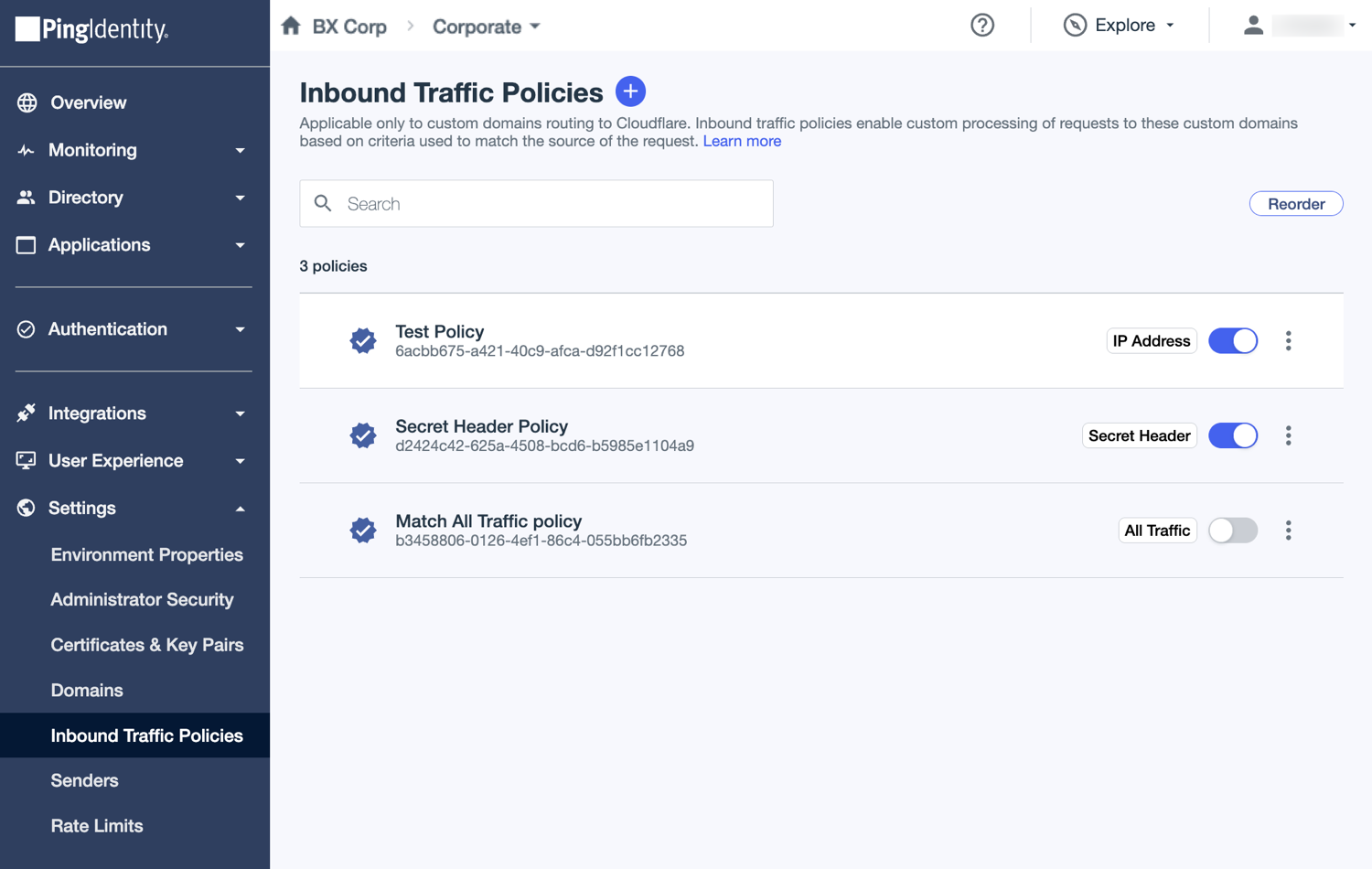
The Inbound Traffic Policies page defines the policies and a matching sequence based on the order in which the enabled policies are listed.
Inbound traffic policies in the list include labels that identify the types of criteria configured in the policy. If the Match All Traffic option is selected, an All Traffic label displays. If the policy is set to block matching requests, a Block Traffic label displays.
A request is processed by matching it to the first enabled policy for which all defined inbound traffic criteria are met, and then applying the rules selected in the policy. If the request doesn’t match any of the enabled inbound traffic policies, it is rejected.
Best practices and additional considerations
Always configure, test, and validate your inbound traffic policies using a different environment with a test custom domain before implementing them on a production domain.
|
If you make errors in your inbound traffic policy configuration in production, you might inadvertently block requests to your custom domain or change their behavior. |
Inbound traffic policies are primarily intended to recognize requests from verified sources. Requests to your custom domain might be made by PingOne, for example, by a PingOne DaVinci flow, or by external applications that you’ve configured in your environment.
To prevent the inadvertent rejection of valid external requests, always include a lowest priority inbound traffic policy that matches all requests and can serve as a fallback policy to prevent these external requests from being inadvertently rejected.
The following circumstances also affect the processing of inbound traffic policies:
-
When a request includes an
X-Ping-Itp-Idheader, only the policy with an ID that matches the header value is considered for matching. This header can be used to override priority-based matching and remove ambiguity when policies have overlapping traffic criteria. -
When a request includes an
X-Ping-Itp-Jwtheader, only the policy with an ID that matches theissclaim in the JSON Web Token (JWT) is considered for matching.For clients with cryptographic capabilities,
X-Ping-Itp-Jwtis the best criteria for matching a request to a policy. The JWT securely associates the request directly to its policy and has a limited lifespan to mitigate exposure risk. Learn more about signed JWT headers in the Inbound Traffic Criteria table in Adding or editing inbound traffic policies. -
When a request includes an
X-Ping-Itp-Secretheader, only those policies configured with shared secret criteria are considered for matching. Learn more about secret headers in the Inbound Traffic Criteria table in Adding or editing inbound traffic policies.
Additionally, if the environment has no custom inbound traffic policies defined and enabled, a default policy is used that matches every request and applies the following rules:
-
The client IP address is the socket IP address for the connection.
-
The request can include two custom headers:
-
X-Ping-Real-IP -
Akamai-User-RiskLearn more in Inbound Traffic Policies in the PingOne API documentation.
-