Adding repetition settings to an authorization attribute
Add repetition settings to an attribute to resolve its values from a collection.
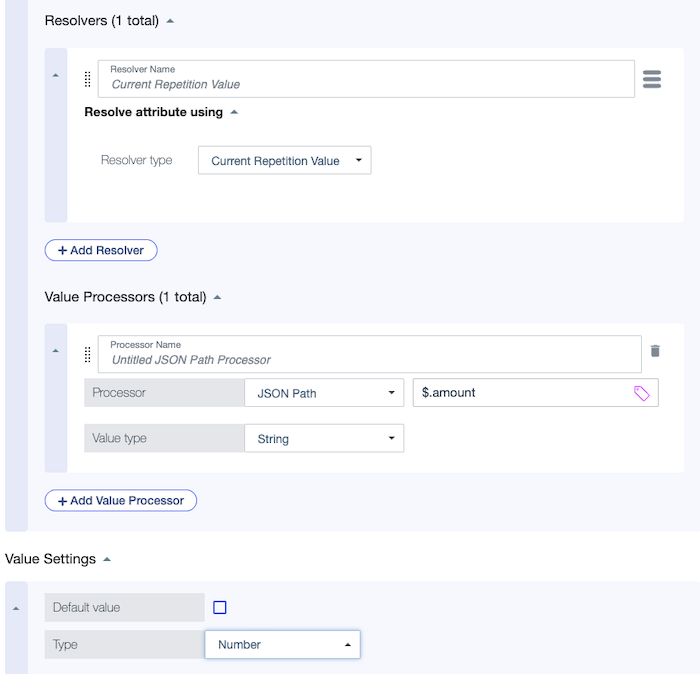
A repeating attribute requires a repetition source that points to a collection. To get values from each repetition of the collection, the repeating attribute must have a resolver set to Current Repetition Value.
|
You can also use repeating attributes in named conditions and named processors. If an attribute uses a named condition or value processor, any repeating attributes referenced in the condition or value processor must have the same repetition source as the attribute itself. |
Before you begin
Add an attribute that serves as the repetition source.
|
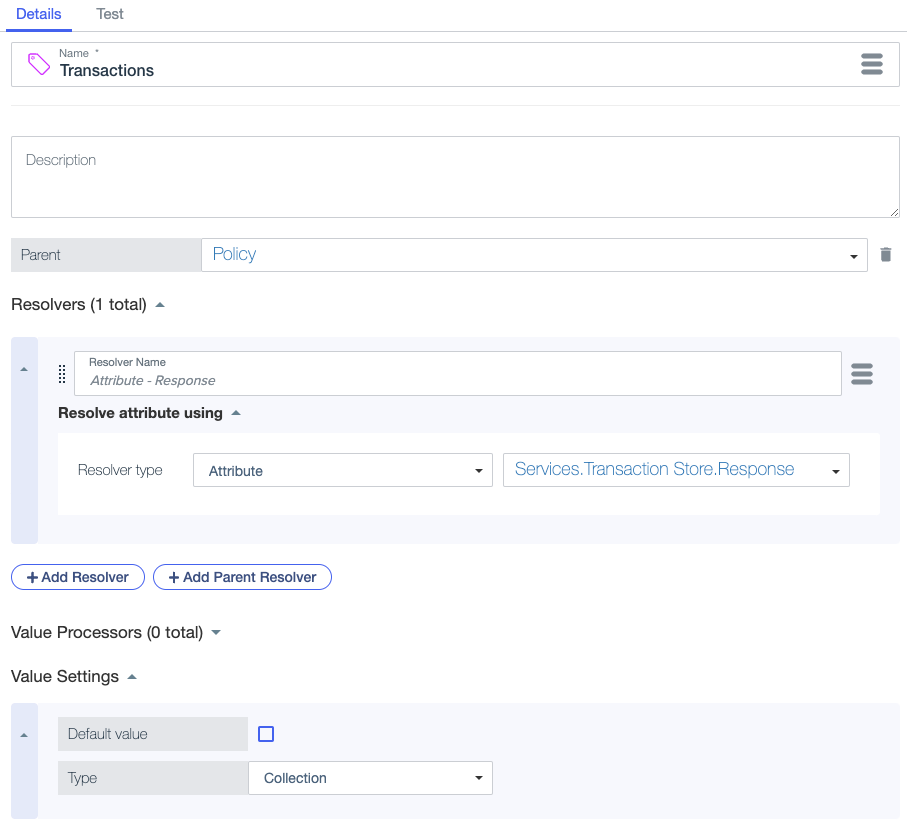
The value setting Type for the repetition source attribute must be Collection. |
For example, consider the following attribute that retrieves a collection of payment transactions from a service response. This attribute will serve as the repetition source for a repeating attribute that retrieves the transaction amount.
Steps
-
Go to Authorization > Trust Framework and click the Attributes tab.
-
Select the attribute to which you want to add repetition settings.
-
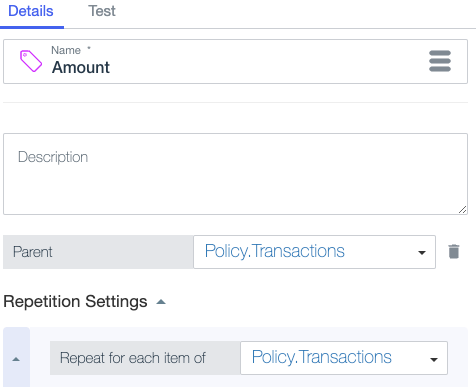
Click the hamburger menu in the Name field and select Add repetition settings.
-
In the Repeat for each item of list in the Repetition Settings section, select a repetition source attribute.
-
Expand Resolvers and click Add Resolver.
-
In the Resolver type list, select Current Repetition Value.
This resolves the attribute against individual items in the collection.
-
Click Save changes.