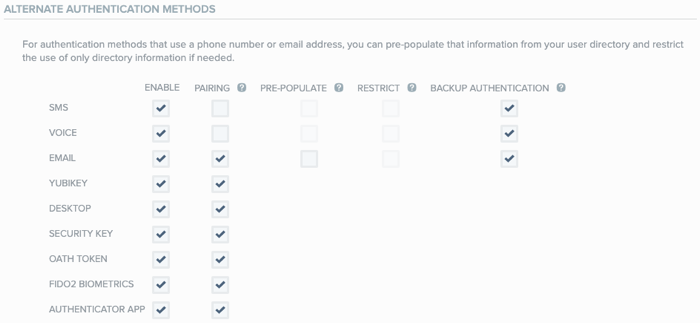
Configuring YubiKey authentication (Yubico OTP) for PingID
The YubiKey is a hard token that acts as a hardware authenticator. By combining PingID and YubiKey, an enterprise gives their users an additional, secure form of strong authentication.
YubiKeys can be paired for either:
-
Yubico OTP authentication
-
Security Key FIDO2/U2F authentication
|
If you have a YubiKey that’s FIDO2 compliant, to take advantage of FIDO2 capabilities, pair the device as a security key. Learn more in (Legacy) Configuring the FIDO2 security key for PingID. |
A YubiKey hardware authenticator can be used in sensitive environments or for users working in environment with limited device or phone access, such as hospitals, financial institutions, or federal buildings.
The YubiKey hardware gives your enterprise a variety of form factors to allow the user to authenticate combined with the contextual awareness of PingID. YubiKey doesn’t require a battery or network connectivity, so it’s always on and accessible for MFA.
When YubiKey authentication is enabled, the user registers their personal YubiKey and pairs it with their PingID account. This creates a trust between the YubiKey and the user’s account so they can use the YubiKey to authenticate during the sign on process.
Learn more in the PingID End User Guide.
|
Learn more about the YubiKey models that support Yubico OTP in the YubiKey products page. |