Configuring a minimum OS policy
Determine the minimum OS versions for Android and iOS mobile devices that are allowed for PingID authentication. You can block older and less secure OS versions.
|
The list of supported operating systems is dynamic and can change as new versions are introduced. Discontinued support of older versions might also impact the minimum supported OS version. |
Steps
-
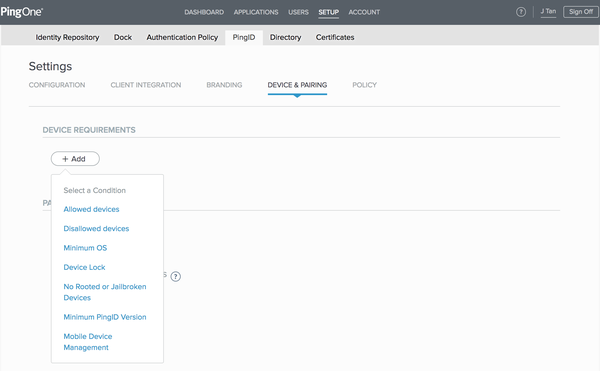
In the PingID admin portal, go to Setup > PingID > DEVICE & PAIRING.
-
In the DEVICE REQUIREMENTS section, click Add. From the Select a Condition menu, select Minimum OS.
-
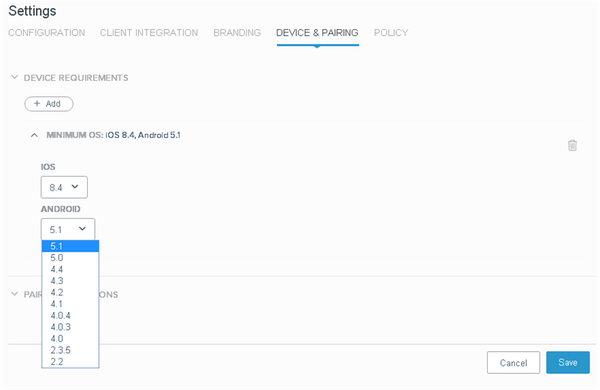
From the iOS and Android lists, select the minimum permitted OS version.
-
Click Save.