About reports
Advanced Identity Cloud provides a reporting infrastructure to help you gain better insights into your IAM activities. The reports cover a wide range of services including application access, IDM syncs, journeys, user statistics to assist in making critical business decisions and monitor compliance policies.
Tenant administrators can use the Reports page to view template drafts, view previous report runs, and generate new reports. You can also export the reports as a CSV or JSON file for further analysis.
-
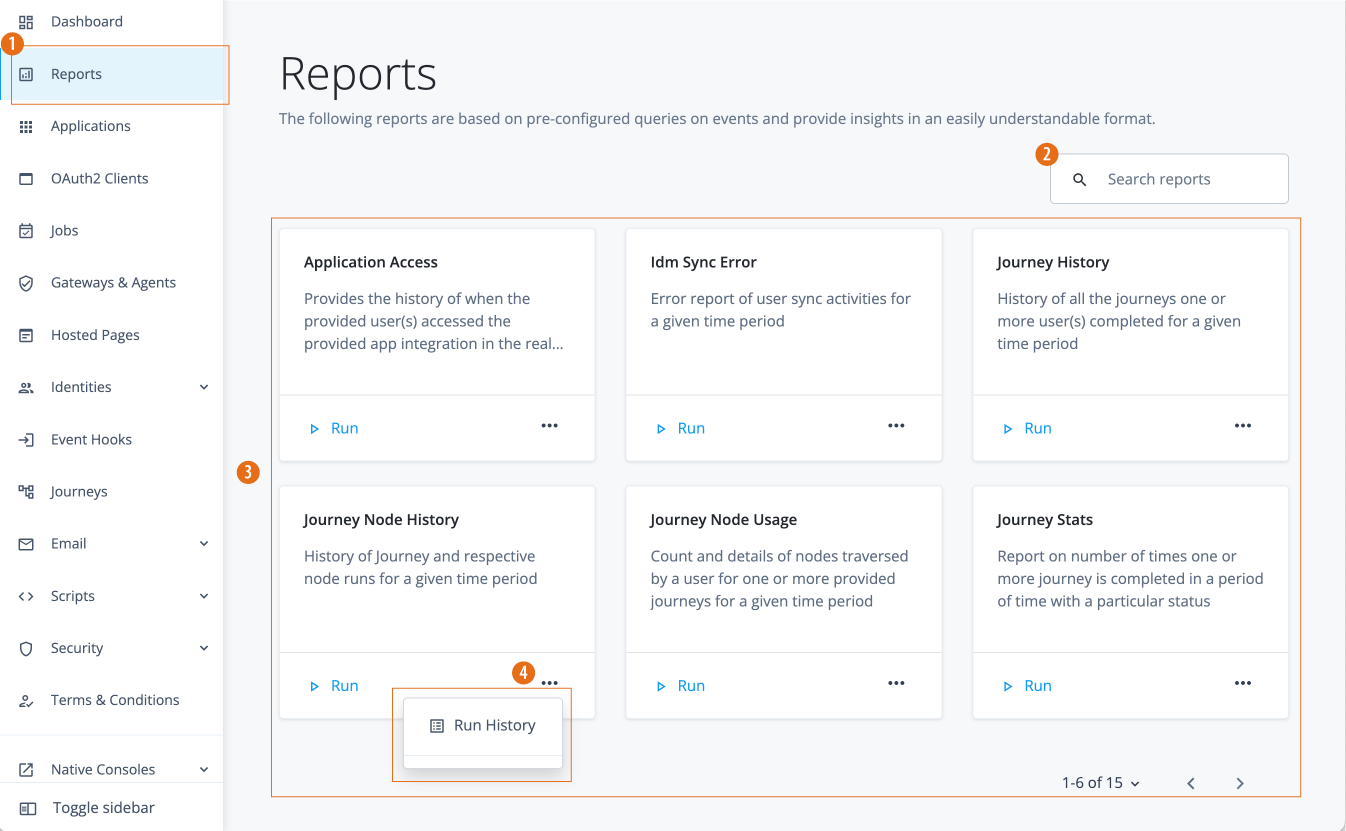
1 On the Advanced Identity Cloud admin console, click Reports to access Advanced Identity Cloud reports. All Advanced Identity Cloud customers (new or existing) get access to the out-of-the-box reports.
-
2 Enter a report name, case-insensitive, to search for a report.
-
3 Click Run on any report to generate a reporting run.
-
4 Click ellipsis (), and then click Run History to view the report, export the file, and view information about past reporting runs.