Creating a file based access log publisher
The PingDirectory server supports different types of log publishers that can be used to provide monitoring information for operations, access, debug, and error messages that occur during normal server processing.
About this task
The server provides a standard set of default log files as well as mechanisms to configure custom log publishers with their own log rotation and retention policies. The filed based access log publisher publishes access messages with information about the operations processed by the server. For more information, see Types of log publishers.
Steps
-
Sign on to the admin console.
-
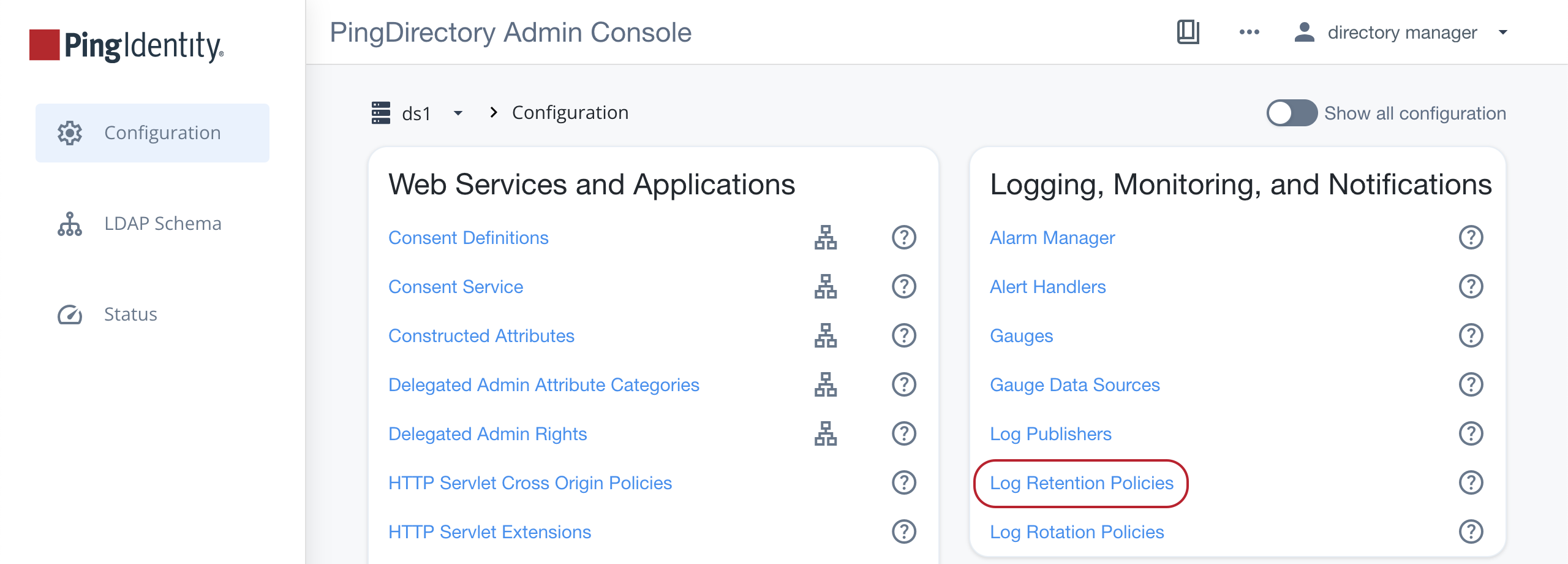
In the sidebar, select Configuration, and in the Logging, Monitoring, and Notifications section, select Log Retention Policies.
-
Click New Log Retention Policy and select your desired policy.
-
Fill out the fields according to the tooltips and click Save.
-
-
Return to the Logging, Monitoring, and Notifications section and select Log Rotation Policies.
-
Click New Log Rotation Policy and select your desired policy.
-
Fill out the fields according to the tooltips and click Save.
-
-
Return to the Logging, Monitoring, and Notifications section and select Log Publishers.
-
Click New Log Publisher and select File Based Access Log Publisher.
-
Fill out the fields according to the tooltips.
-
In the Rotation Policy list of the Log File Management section, select your desired rotation policy.
-
In the Retention Policy list, select your desired rotation policy.
-
Click Save.
-